Important appointment sync setting: onOffice to Outlook
Important
Background
timum enters appointment participants into onOffice appointments in the intended way, so that they are documented correctly there and are available for further processes.
onOffice and timum treat an appointment with multiple participants as a group event whose participants are unknown to one another, and send no participant information to other participants.
Microsoft 365 (Outlook), however, fundamentally treats an appointment with multiple participants as a personal meeting between several people. It therefore assumes that the participants know each other personally, or will get to know each other, and will accordingly exchange contact details. This is why Outlook always sends appointment confirmations containing information about the other participants by email to every participant. To date, this behavior cannot be prevented by any setting.
Note in the user settings
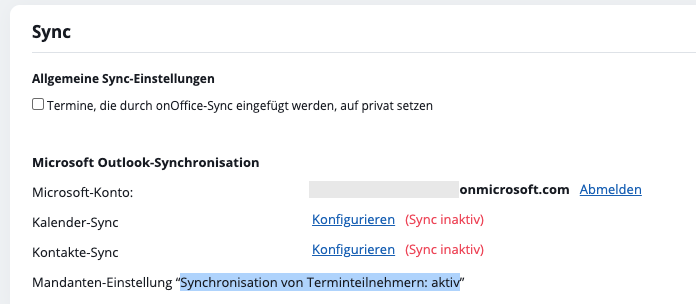
In the user settings of an individual user, you will find this important note:
Account-level setting "Synchronization of appointment participants: active"
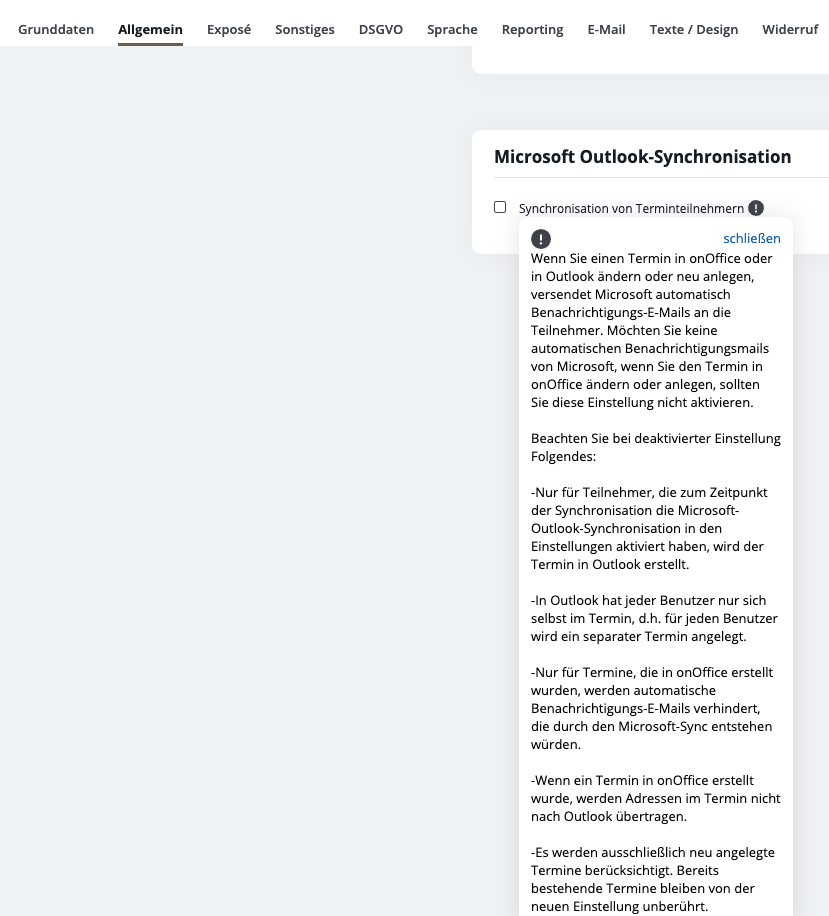
Disable synchronization of appointment participants
Extras / Settings / Basic settings → General
Bottom of the right-hand column: Microsoft Outlook synchronization
Checkbox disable: Synchronization of appointment participants